services

Webflow Certified Webflow Enterprise Partner

Happy Cog builds enterprise Webflow sites your marketing team can run on its own.

Enterprise marketing teams choose Webflow so they can launch a landing page, spin up a campaign microsite, or test a new headline without waiting on a developer. Our team can plan the migration, build a component library your editors assemble pages from, set up regional sites for every market you sell into, and connect Webflow to the CRM, analytics, and consent tools your company already runs.

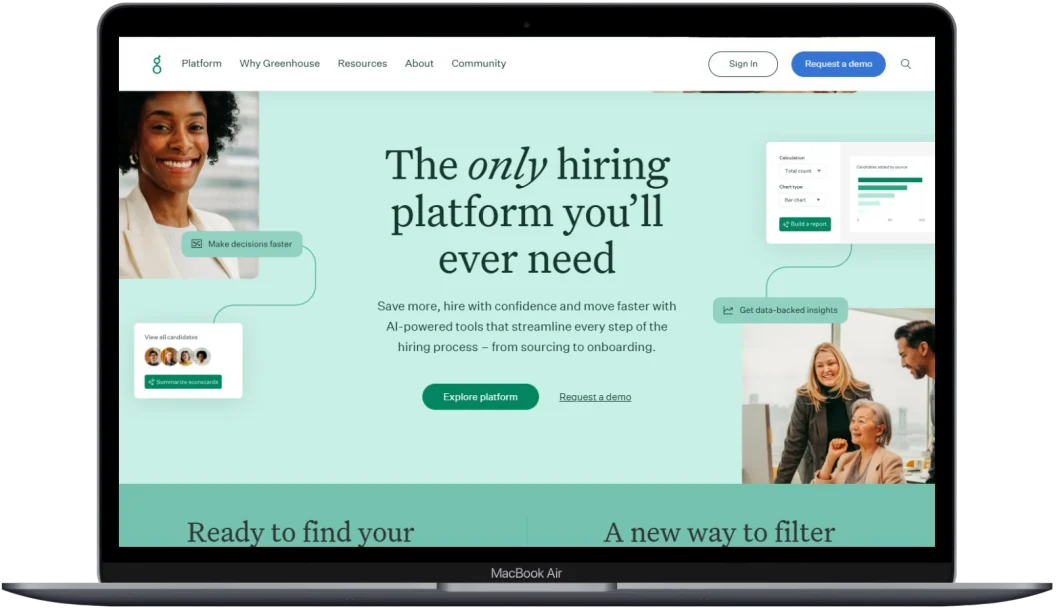
The Greenhouse homepage, built in Webflow by Happy Cog, shown on a laptop
Greenhouse.com, which our team migrated to Webflow

We moved greenhouse.com onto Webflow, more than 1,000 pages across several regional sites, with no downtime, and Webflow named the relaunch its Technical Achievement of the Year. Matt Weinberg, our President of Technology, later joined Greenhouse's VP of Brand and Corporate Marketing on stage at Webflow Conf, in a session called "Building for an audience of bots and humans at the same time." They presented what the two teams built next: agentic content workflows, where AI agents take on parts of the writing and publishing, and pages written for AI answer engines as well as for people.

Happy Cog is a full-service digital agency, so the same senior team can design your site, build it in Webflow, and run the SEO, analytics, and paid media that bring people to it.

1,000+ pages moved to Webflow for Greenhouse, with no downtime
Thousands of CMS items migrated with our own import scripts
Up to 40% higher conversion on Greenhouse's demo request pages from its Webflow Optimize testing
Technical Achievement of the Year Webflow Awards, for the Greenhouse relaunch
Capabilities

Our team can take on any part of an enterprise Webflow program, or all of it.

You can bring us in for a single piece of the work, like a migration or a CRM integration, or keep our team on after launch for advanced components, testing, and search.

01 · Migrations and replatforming

A large site can move to Webflow and keep its search rankings.

Every migration starts with a discovery audit by our replatforming team, who map what your current site does and work out with you, feature by feature, what to keep, rebuild, or swap for something native to Webflow. We use AI agents from the first audit onward to catalog your content and check every batch of migrated items. Our developers write the import scripts that move thousands of CMS items into Webflow collections, reshape rich text and assets to fit Webflow's editor along the way, and keep your URLs, redirects, and metadata intact so your search rankings carry over. When a feature depends on server-side code, our developers find a replacement and have it working before launch.

02 · Design systems and component libraries

Your editors can build new pages from a library of ready-made components.

We build your design system directly in Webflow, with variables for color and type and a library of components that marketers can drop into a page and fill in. Our developers build the components in the order your team needs them, so editors can start assembling real pages while the rest of the library is still in progress.

03 · Localization and microsites

Regional sites and campaign sites can all run on one system.

We can set up Webflow Localization locale by locale, so each market gets its own navigation, content, and search settings. Microsites for events, product launches, and campaigns can share the same component library and match your brand on their first day, without a separate design project.

04 · Integrations

We connect Webflow to the CRM and marketing tools you already use.

Our developers can connect Webflow to Salesforce, Marketo, HubSpot, and the other systems your sales and marketing teams depend on, using Webflow's native integrations, Zapier, webhooks, and custom JavaScript. Our analytics team can also send CRM milestones (demo requests, opportunity stages, and closed-won deals) back to ad platforms like LinkedIn, so your campaigns optimize toward pipeline.

05 · Tagging, consent, and analytics

Accurate tagging feeds every dashboard your team reports from.

Our analytics team sets up Google Tag Manager through Webflow's native integration, configures consent defaults so tags follow each visitor's choices, and builds the GA4 events your dashboards depend on. Webflow Analyze adds heat maps and scroll data inside the platform, so your marketers can see how a page performs without opening another tool.

06 · SEO and AI search

Search engines and AI assistants can find and cite your pages.

Our SEO team audits Webflow sites against more than 100 technical factors that affect how search engines and AI assistants crawl, read, and cite a page, including schema, canonical tags, and duplicate content across regional subdirectories. For Greenhouse, our teams also build agentic content workflows and write pages for the AI answer engines its buyers consult before they reach a search results page.

07 · Testing and personalization

Your marketers can run A/B tests and personalization on their own.

Webflow Optimize puts A/B testing and personalization inside the platform. We can set up the first tests with your team, build the variants that need custom components, and walk your marketers through the results, so they can keep the testing program going.

08 · Training, governance, and support

Editors learn the site during the build, and our developers stay on for the advanced work.

Your editors build pages with us throughout the project, so by launch they know how to use every component, create new ones, and publish within the roles and permissions your security team sets. After launch, our developers can stay on for advanced components and custom JavaScript, with our analytics and SEO teams alongside them. For Greenhouse, our nightly automated tests across its regional sites catch a broken page before visitors find it.

Our work with Webflow

Greenhouse

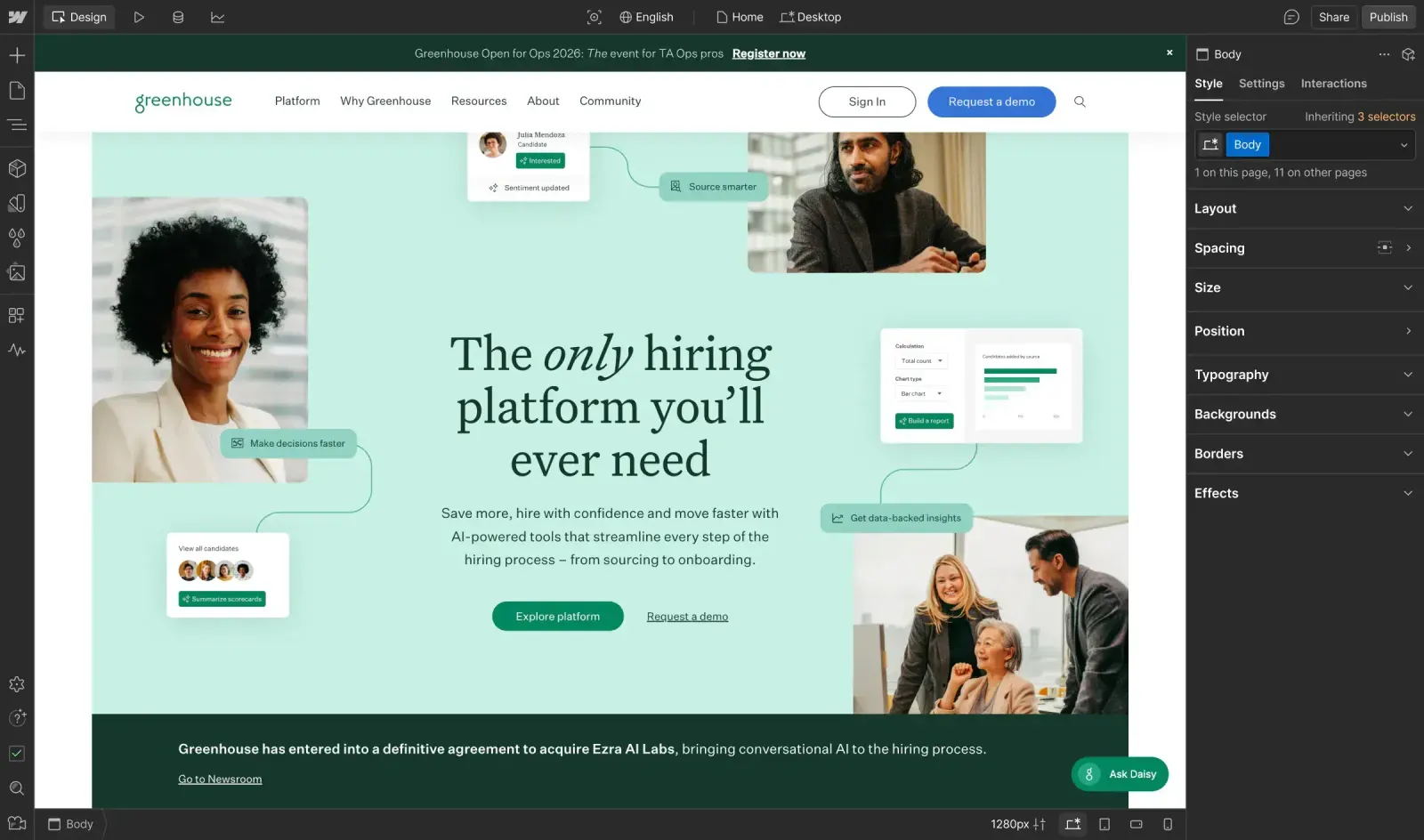
The Greenhouse homepage open in the Webflow Designer, with the style panel beside it
Greenhouse's marketers build and edit pages in the Webflow Designer from the component library our team built.

Greenhouse, the hiring software company, wanted its marketing team to launch pages and campaigns without filing requests with IT or a development team, and wanted its IT team out of the business of running servers for a marketing site. We ran the discovery audit, built the design system and component library in Webflow, and programmatically migrated thousands of CMS items while Greenhouse's marketers built more than 100 landing pages alongside us.

We've stayed on as Greenhouse's Webflow partner for advanced components, custom JavaScript, analytics, and SEO. You can read Webflow's story on the Greenhouse relaunch for the view from Greenhouse's side.

Trenton Kenagy, VP of Brand and Corporate Marketing at Greenhouse
"Working with Happy Cog on our Webflow build was a game-changer for our team. Their expertise and dedication have helped us streamline our website publishing process and move more quickly."
Trenton Kenagy
VP, Brand and Corporate Marketing, Greenhouse
Common questions

Common questions about working with Happy Cog on Webflow

Why do enterprise marketing teams move to Webflow?

Most of the teams we talk to want to publish faster. Webflow gives marketers a visual builder that turns a component library into finished pages and takes care of hosting, security patches, and platform updates. Testing, analytics, and localization are built in, so your marketers can do all three without leaving Webflow.

How do you move a large site to Webflow without losing search traffic?

Our discovery audit maps every template, feature, and URL on your current site before the build starts. Our SEO team builds the redirect map and checks metadata, canonical tags, and structured data against the old site before launch, and our developers move the CMS content with import scripts that can run in staging as often as we need, so we fix problems before the real cutover. That's how we moved Greenhouse to Webflow.

Can Webflow work with our CRM, marketing automation, and analytics?

Yes. We choose the connection method system by system (a native integration, Zapier, a webhook, or custom JavaScript), and if a feature needs server-side logic, our developers can build that service alongside the site and keep it connected to Webflow.

How will our team learn to run the site?

Your team learns by building pages with us during the project. On Greenhouse, our developers built each component and Greenhouse's marketers put it to use right away, so their team had already built more than 100 landing pages by launch. We can also document your component library and set up roles and permissions so the right people can publish.

Can we see our site on Webflow before we commit?

Yes. Through Webflow's partner program, our team can rebuild your homepage in Webflow as a working prototype, with your design system, animations, and editing experience, so your stakeholders can try it before you sign a platform contract. Webflow can fund that prototype for qualifying enterprise projects.

Do you only work on Webflow?

No. Since 1999, Happy Cog has designed, built, and marketed sites on WordPress VIP, Storyblok, Contentful, Craft, Webflow, and many other platforms, and we choose a platform with you based on your content, your integrations, and how your editors work. Read more about our CMS development work.

Some of our enterprise CMS clients

  • Greenhouse
  • Capital One
  • Associated Press
  • Thomson Reuters
  • CAVA
  • McGraw Hill
  • Central Park Conservancy
  • Newmark
  • Lonza
  • Hamilton
  • Playbill
  • NSF
  • Adelphi University
  • Commercial Observer
  • &pizza
  • Chief
Start a conversation

Tell us what you're building on Webflow.

Whether you're planning a move to Webflow or already run a large Webflow site that needs more hands, we'd like to hear about it. Tell us what you're working with and when you need it, and we'll explain how we'd approach the work and who on our team would do it. You can also email us at [email protected].